

Visualize the optics problems
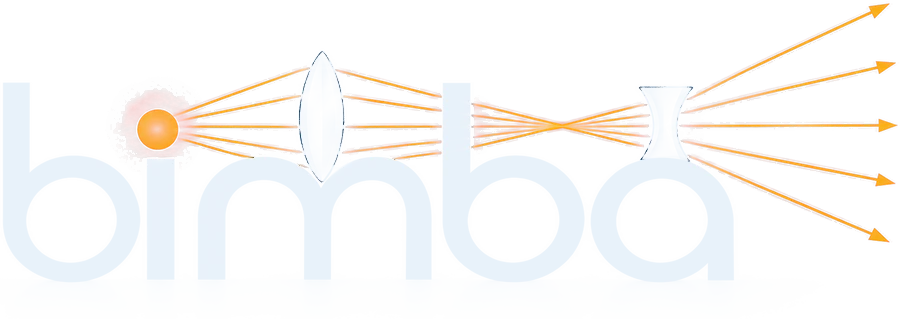
Bimba is a free, open-world 2D ray optics sandbox. Place mirrors, lenses, prisms and refractive interfaces anywhere on the canvas, and watch reflection, refraction and total internal reflection play out in real time — no install, no plugins.
What you can explore
Mirrors & lenses
Plane mirrors, thin lenses and curved surfaces — drag, rotate and resize any element on an open canvas.
Prisms & interfaces
Glass slabs, prisms and refractive boundaries between media, each with its own refractive index.
Light sources
Aim laser sources freely in any direction and watch rays propagate through everything in their path.
Reflection & refraction
Every ray reflects and refracts according to real physics, including total internal reflection at steep angles.
Image construction
Overlay the construction lines that show exactly where virtual and real images form.
Measurement tools
A ruler and protractor for distances and angles, plus live angle-of-incidence and refraction labels at every surface.
Paraxial predictions
Enable the paraxial engine to overlay ideal thin-lens focal predictions alongside the full ray trace.
Free-form workspace
Zoom and pan freely with a live scale bar, and undo or redo any change to the scene.
From a single lens to a full optical bench
Every scene starts from an empty canvas
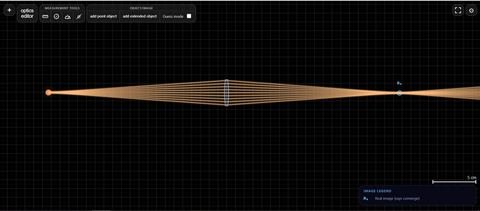
Bimba doesn't hand you a pre-built demo — it hands you an empty optical bench. Start with one source and one lens to see focusing and image formation, the way the preview above traces a beam converging through a single converging lens. Then keep adding: a second lens for a compound system, a prism for dispersion, or a mirror to fold the path back on itself. The ray trace updates live as you drag anything in the scene, so there's no "run" button between simple and advanced — just how much you've placed on the canvas.
Overview
Bimba is a new-generation interactive ray-optics tool on the web, designed to bring optical intuition to life through hands-on experimentation. Its name comes from the Sanskrit word bimba (बिम्ब), meaning an image, reflection, or representation — a fitting name for a tool built around understanding how light forms images.
Bimba was created by a physics teacher who wanted students to see optics come alive beyond static textbook diagrams: to move lenses, mirrors, prisms, light sources, and refractive interfaces freely and immediately observe how rays respond.
With its highly interactive features and open-ended sandbox approach, Bimba aims to make ray optics more visual, intuitive, and exploratory, helping students build a deeper physical understanding of the concepts they study in class.
Technology
Every reflection and refraction recalculates in real time as you edit the scene — nothing to wait for, no loading between changes. Bimba runs entirely in your browser, so nothing you build ever leaves your device.
An optional paraxial overlay shows you the ideal thin-lens prediction alongside the full ray trace, so you can compare the exact simulation against the textbook approximation directly.
Controls & supported devices
Bimba runs entirely in the browser — nothing to install.
Mouse: click-drag elements to move them, drag handles to rotate or resize, and scroll to zoom. Touch: tap and drag to move elements, pinch to zoom. Keyboard: undo/redo shortcuts work alongside the on-screen buttons. On phones, Bimba will prompt you to rotate to landscape for a usable amount of workspace.
Release notes
Bimba gets updates over time — new tools, refinements, and fixes. The full history lives on its own page.
Read the release notes